Online Typing Speed Test in Pakistan: Free Live Typing Test
Online Typing Speed Test in Pakistan: Free Live Typing Test
In today's digital world, typing is an essential skill for students, job seekers, and professionals. Whether you are preparing for a government job, applying for a data entry position, or improving your computer skills, typing faster and more accurately can help you complete tasks efficiently.
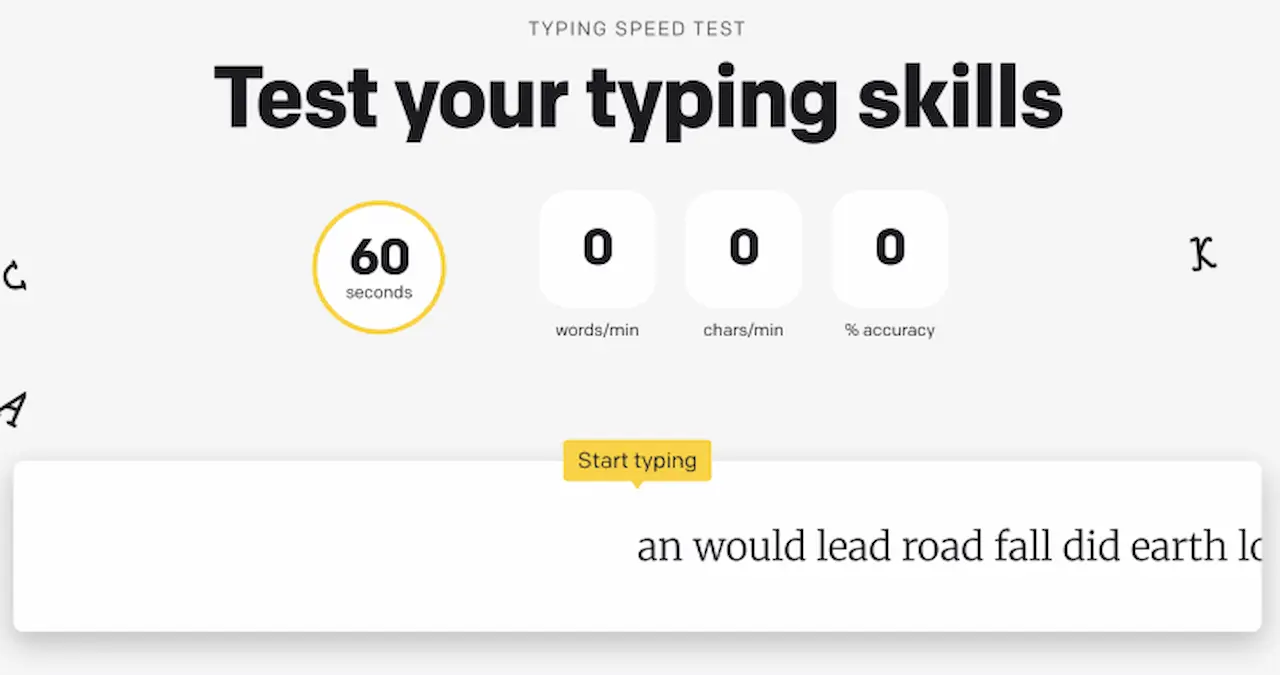
An online typing speed test in Pakistan helps you measure your words per minute (WPM), check your accuracy, and identify areas that need improvement. With TypingTestSkill.com, you can practise typing online using different test durations and track your performance as you work towards your goals.
If you want to improve your English typing speed, prepare for a typing examination, or build confidence using a keyboard, regular practice is an effective place to start.
Take a free online typing test to check your current speed and accuracy.
Why an Online Typing Speed Test Matters
Typing speed is an important skill in many workplaces. Government offices, private companies, banks, data entry departments, and customer support teams often require employees to use computers efficiently.
An online typing speed test measures how quickly you can reproduce a given passage. Depending on the tool, it can also show your accuracy, mistakes, and other performance statistics.
Regular testing helps you understand your current ability and monitor your progress over time.
The main benefits include:
- Measuring your typing speed in words per minute.
- Identifying common spelling and typing errors.
- Improving keyboard familiarity and finger coordination.
- Preparing for computer-based recruitment tests.
- Building consistent typing habits through timed practice.
What Is a Live Typing Test?
A live typing test evaluates your performance while you type. The timer runs during the test, and the platform processes your typing to calculate the available performance statistics.
Unlike untimed exercises, a timed test helps you practise working within a fixed period. This is useful when preparing for examinations that require candidates to type a passage within a specified time.
On TypingTestSkill.com, you can practise using different durations:
- 1-minute typing test
- 3-minute typing test
- 5-minute typing test
- 10-minute typing test
- 15-minute typing test
- 30-minute typing test
Short sessions are useful for quick practice, while longer sessions help you work on consistency and concentration.
Understanding WPM and Typing Accuracy
Two important measures in a typing speed test are words per minute and accuracy.
What Is WPM?
WPM stands for words per minute. It is a standard way to express typing speed. Many typing tests calculate one word as five characters, including spaces, although the exact scoring method can vary between platforms.
For example, a test that records 200 standard word-equivalents over five minutes would produce a speed of 40 WPM under that calculation method.
Your result can vary depending on the passage, punctuation, test duration, and scoring rules.
Why Does Accuracy Matter?
Accuracy measures how correctly you type the displayed text. A high speed with frequent errors may not meet the requirements of a typing examination or workplace task.
To improve your performance:
- Type carefully before trying to increase your speed.
- Learn the correct finger positions.
- Review recurring mistakes after each session.
- Practise punctuation, capital letters, and difficult words.
- Increase your pace gradually while maintaining accuracy.
You can use the TypingTestSkill typing test to assess your performance.
Types of Online Typing Tests
Different typing tests help you practise different aspects of keyboard skills.
1. One-Minute Typing Test
A 1-minute typing test is suitable for a quick assessment. It lets you check your current performance without committing to a long session.
Use the 1-minute typing test for a short practice session.
2. Five-Minute Typing Test
A 5-minute typing test gives you more time to establish a consistent rhythm. It can be useful for comparing results across regular practice sessions.
Try the 5-minute typing test.
3. Ten-Minute Typing Test
A 10-minute typing test provides a longer practice period. It helps you work on concentration and maintaining a steady pace.
Start the 10-minute typing test.
4. English Typing Test
An English typing test helps you practise spelling, sentence structure, punctuation, and common vocabulary. It can be useful for students and candidates preparing for English typing assessments.
5. Number Typing Practice
Number typing exercises focus on entering digits accurately. This skill is useful for data entry, spreadsheets, accounting tasks, and other numerical work.
6. Long-Duration Typing Test
Longer sessions, such as 15 or 30 minutes, help you practise maintaining a consistent typing pace over an extended period.
Choose a duration that supports your training objective and, when preparing for an examination, follow the duration specified in the official instructions.
Benefits of Free Online Typing Practice
Free online typing practice gives learners an accessible way to develop their skills without paying for every practice session.
A browser-based typing test can be used at home, at work, or in a computer lab, provided you have a compatible device and internet access.
Regular practice can help you:
- Measure typing speed and accuracy.
- Identify areas that require additional work.
- Become more familiar with the keyboard.
- Practise within a time limit.
- Prepare for computer-based skill assessments.
TypingTestSkill.com provides online typing tests with different durations. Visit the TypingTestSkill homepage to explore the website.
A typing certificate should only be used as evidence of a skill assessment when the platform actually provides one. Before submitting any certificate for employment, check whether the employer accepts that particular certificate.
How to Improve Your Typing Speed
Improving typing speed requires consistent practice, correct technique, and attention to accuracy.
Practise Every Day
Short, regular sessions make it easier to build a routine. Record your results so you can compare your performance over time.
Learn Touch Typing
Touch typing means typing without repeatedly looking down at the keyboard. Learning to use the appropriate fingers for different keys can improve coordination and reduce interruptions.
Focus on Accuracy First
Typing too quickly before developing control often leads to more errors. Begin at a comfortable pace and gradually increase speed while keeping your mistakes under control.
Use Different Test Durations
Alternate between short tests and longer sessions. Short tests provide quick feedback, while longer sessions let you work on concentration and consistency.
Review Your Mistakes
Notice which letters, words, or punctuation marks cause repeated problems. Practise those areas instead of repeating the same exercise without reviewing your results.
The Role of Online Typing Tutor Tools
An online typing tutor provides guided exercises for learners who want to develop their skills progressively.
Depending on the platform, lessons may cover home-row keys, finger placement, common letter combinations, words, and complete sentences.
Beginners can start with basic keyboard exercises before moving to timed typing tests. More experienced users can focus on accuracy, speed, and longer passages.
Combining guided lessons with regular testing helps you practise technique and measure performance.
Visit TypingTestSkill.com to explore the available typing resources.
Are Typing Games Effective?
Typing games can make practice more engaging by introducing goals, challenges, or time limits. They may encourage learners to spend more time using the keyboard.
However, games should not replace structured typing practice when your goal is to pass a formal typing examination.
For better preparation, combine typing games with passage typing, accuracy exercises, and timed tests. If your examination uses a particular language or keyboard layout, practise that specific format separately.
Common Typing Mistakes to Avoid
Many learners struggle to improve because they repeat habits that reduce accuracy or interrupt their rhythm.
Looking at the keyboard: Repeatedly looking down makes it harder to maintain a steady flow. Practise touch typing gradually.
Focusing only on speed: A fast result is less useful when it contains many errors. Track accuracy alongside WPM.
Practising irregularly: Long gaps between sessions make it difficult to establish a consistent routine. Set aside regular practice time.
Ignoring punctuation: Capital letters, commas, full stops, and other symbols can affect performance in passage-based tests.
Using only short tests: Short sessions do not show how well you maintain your pace over a longer period. Include longer tests in your routine.
Ignoring your results: Review your mistakes and use them to decide what to practise next.
Practice Content and Techniques
Different types of text help you develop different skills.
Short passages are useful for quick practice. Longer paragraphs help you maintain concentration, while text containing numbers and punctuation can improve familiarity with more varied material.
You can practise:
- Common English words and sentences.
- Paragraphs with punctuation.
- Numbers and numerical sequences.
- Formal passages similar to workplace documents.
- Timed exercises that match your target examination.
Choose content that suits your objective. If you are preparing for a recruitment test, use the language, layout, and format specified by the recruiting authority.
Typing Skills for Job Preparation in Pakistan
Typing skills can be useful for job seekers in Pakistan, particularly those applying for clerical, administrative, data entry, and computer-based positions.
Some recruitment processes specify a minimum typing speed or require candidates to complete a computer-based skill test. The exact requirements depend on the employer and the post.
Before preparing for a particular vacancy, check the official advertisement for:
- Required typing speed.
- Test duration.
- Language and keyboard layout.
- Accuracy or error rules.
- Whether the test is qualifying or contributes to merit.
Practise with the same language and general test format where possible. An online typing test can help you assess your progress, but it does not guarantee that you will pass an employer's examination.
Start with a free typing test on TypingTestSkill and use timed practice to develop consistency.
Advanced Typing Practice Methods
Once you have established a reliable typing technique, you can introduce more challenging exercises.
Speed Drills
Use short passages to practise increasing your pace without sacrificing accuracy. Focus on controlled improvement rather than chasing a single high score.
Mixed-Content Practice
Practise passages containing numbers, punctuation, and capital letters. This helps you become familiar with a wider range of keyboard inputs.
Endurance Sessions
Use 10-minute, 15-minute, and 30-minute tests to practise maintaining a steady pace for longer periods.
Performance Tracking
Record your speed and accuracy after each session. Compare similar test formats to evaluate your progress more meaningfully.
Try the 10-minute typing test or the 30-minute typing test for longer practice sessions.
Typing for Professional Communication
Typing is useful beyond formal tests. Office workers, customer support representatives, students, and other professionals use keyboards to communicate and manage information.
Accurate typing can help reduce avoidable corrections and make routine computer work more efficient.
For live chat and other time-sensitive communication, both speed and clarity matter. A fast response is not useful if the message contains errors or is difficult to understand.
Regular keyboard practice can help you develop the skills needed for everyday digital communication.
Frequently Asked Questions
1. Where can I take a free online typing speed test in Pakistan?
You can use TypingTestSkill.com to take an online typing test and practise using different time limits.
2. What is a good typing speed in WPM?
A suitable typing speed depends on your current skill level and objective. For recruitment, the target should be the minimum specified by the employer. For personal improvement, track your progress using comparable tests.
3. What is the difference between typing speed and accuracy?
Typing speed measures how quickly you enter text, usually in WPM. Accuracy measures how correctly you reproduce the text. Both are important for reliable typing.
4. Can I practise typing online without installing software?
Yes. Browser-based typing tests can be accessed without installing a separate typing application, provided your browser and device support the website.
5. Which typing test duration should I choose?
Use short sessions for quick checks and longer sessions to practise consistency. If you are preparing for an examination, follow the official test duration.
6. Can online typing practice help with government jobs?
It can help you practise the relevant typing skills and measure your performance. However, you must also meet the employer's official speed, accuracy, and examination requirements.
7. How often should I practise typing?
Practise regularly and record your results. Consistent sessions make it easier to identify weaknesses and measure changes in your performance.
8. Does TypingTestSkill provide a typing certificate?
Check the website's currently available features and certificate rules before relying on a certificate for employment. Acceptance depends on the employer or institution.
Final Thoughts
An online typing speed test in Pakistan is a practical way to measure your current typing ability and work towards better speed and accuracy. Whether you are a student, job seeker, or professional, regular practice can help you become more confident using a keyboard.
Start by measuring your current WPM and accuracy. Practise regularly, review your mistakes, and use different test durations to develop consistency.
Visit TypingTestSkill.com and take a free online typing test to begin practising today.
Build your typing skills through consistent practice, accurate technique, and measurable progress.