PPSC & NTS Typing Test: Tips to Boost Speed & Accuracy
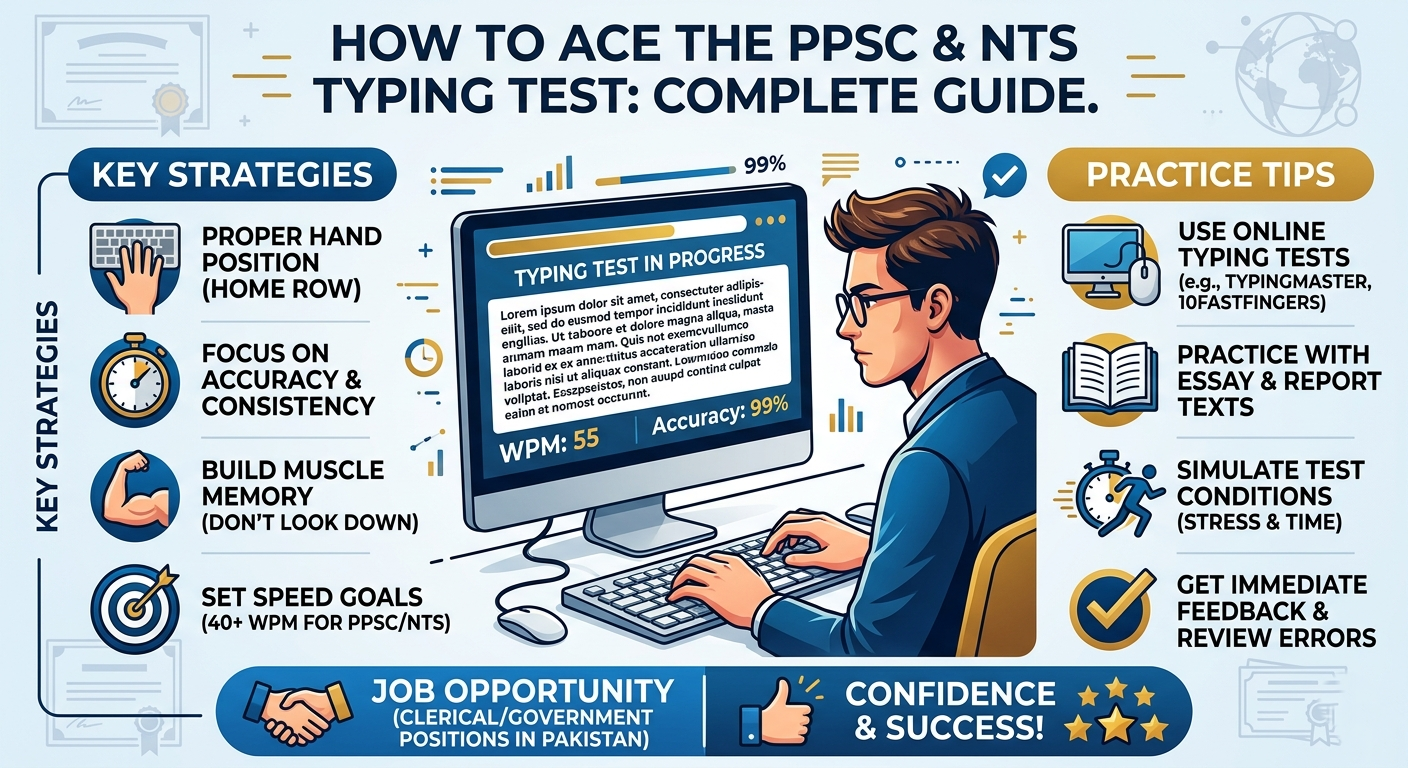
How to Ace the PPSC and NTS Typing Test: Complete Guide
Preparing for a government job in Pakistan often requires candidates to develop strong computer and typing skills. If you are applying for a position through the Punjab Public Service Commission (PPSC) or the National Testing Service (NTS), improving your typing ability can help you prepare more confidently for any typing assessment included in the recruitment process.
A successful preparation strategy involves more than typing quickly. You also need accuracy, consistent practice, familiarity with the keyboard, and an understanding of the specific test requirements.
In this guide, you will learn how to prepare for a PPSC typing test or NTS typing test, measure your words per minute (WPM), avoid common mistakes, and build an effective daily practice routine.
Understanding the PPSC and NTS Typing Test
PPSC and NTS are associated with recruitment and testing processes in Pakistan. Whether a particular vacancy includes a typing assessment depends on the position and the published recruitment instructions.
A typing assessment may require candidates to reproduce a passage within a specified time. Depending on the position, the assessment may evaluate typing speed, accuracy, or other job-related computer skills.
Before beginning your preparation, read the relevant job advertisement, test instructions, and any official syllabus or notice. Confirm the required typing speed, language, test duration, and qualifying criteria instead of assuming that every recruitment test follows the same standard.
Why Typing Skills Matter for Government Jobs
Typing is useful in many administrative and clerical roles. Developing this skill can help you prepare for recruitment assessments and perform everyday office tasks more efficiently.
Better typing speed: Faster, controlled typing helps you complete written tasks more efficiently.
Improved accuracy: Correct typing reduces spelling mistakes, missing characters, and unnecessary corrections.
Greater confidence: Familiarity with timed practice can help you feel more comfortable when working under examination conditions.
Improved productivity: Good typing skills are valuable for data entry, correspondence, record keeping, and document preparation.
Remember that typing performance is only one aspect of a recruitment process. Always review the complete selection criteria for the position you want.
Understand WPM and Typing Accuracy
Two important measurements in typing practice are words per minute and accuracy.
What Is WPM?
WPM stands for words per minute. It estimates how many words you can type in a minute.
A common standardized calculation treats five characters, including spaces, as one word:
WPM = (Characters typed ÷ 5) ÷ Time in minutes
For example, typing 200 characters in one minute equals 40 gross WPM using this method. A website may display a different result if it uses another calculation or deducts errors when reporting net speed.
Why Is Accuracy Important?
Accuracy measures how closely your typed text matches the original passage. A high typing speed may be less useful if it comes with frequent errors.
During practice, focus on entering the correct characters and maintaining a steady rhythm. Increase your pace gradually as your accuracy improves.
You can use the free TypingTestSkill online typing test to measure your performance and identify areas that need attention.
How to Prepare for a PPSC or NTS Typing Test
A structured preparation routine helps you practise consistently and improve the skills that matter.
1. Learn Correct Finger Placement
Start by learning the home-row method on a standard QWERTY keyboard. Place your left-hand fingers on A, S, D, and F, and your right-hand fingers on J, K, L, and the semicolon key.
Use the appropriate fingers to reach other keys and return to the home row when possible. Correct finger placement reduces unnecessary movement and helps build consistent typing habits.
2. Practise Without Looking at the Keyboard
Repeatedly looking down at the keyboard can interrupt your rhythm. Touch typing helps you locate keys through familiarity and finger movement rather than visual searching.
Beginners should practise slowly at first. Concentrate on the correct fingers and characters before trying to achieve a higher WPM.
3. Take Regular Timed Typing Tests
Timed tests help you practise maintaining speed and accuracy within a defined period.
Use different test durations according to your current ability:
- 1-minute typing test for a quick assessment.
- 3-minute typing test for short practice sessions.
- 5-minute typing test for checking consistency.
- 10-minute typing test for sustained practice.
- 15-minute typing test for building endurance.
- 30-minute typing test for longer practice sessions.
Begin with a manageable duration and gradually move to longer tests. For exam preparation, select the duration that most closely matches the official instructions when they are available.
4. Identify and Correct Repeated Errors
Do not focus only on your final WPM score. Review your mistakes and identify recurring problems.
For example, you may frequently miss punctuation, mistype certain letters, or press the wrong key when typing quickly. Practise those areas separately before taking another timed test.
5. Practise Complete Paragraphs
Typing individual words can help beginners learn the keyboard, but complete paragraphs are useful for developing rhythm and concentration.
Practise sentences containing capital letters, punctuation, numbers, and common word combinations. This can help you become more comfortable with different types of text.
A Daily Typing Practice Plan
Consistency is more useful than relying on occasional long practice sessions. If your schedule allows, follow this 25-minute routine.
Minutes 1–5: Warm-up
Type familiar words and short sentences. Focus on comfortable hand positioning and correct finger movements.
Minutes 6–10: Accuracy exercises
Practise the letters, words, and punctuation marks that cause the most errors.
Minutes 11–20: Timed typing test
Take a 5-minute test twice, with a short pause between attempts. Record your WPM and accuracy if available.
Minutes 21–25: Review your performance
Identify the mistakes that occurred most often. Use this information to plan your next session.
If you are a beginner, shorten the routine as needed. As your skills improve, add longer tests to develop endurance.
How to Improve Your Typing Speed Without Losing Accuracy
The following habits can help you improve your performance over time.
Maintain a Steady Rhythm
Avoid sudden bursts of speed followed by frequent pauses. Try to maintain a controlled pace and focus on smooth finger movements.
Keep Your Hands and Body Comfortable
Sit with your back supported, shoulders relaxed, and wrists in a neutral position. Position the keyboard comfortably and avoid pressing keys with unnecessary force.
Practise Every Day
Regular practice helps reinforce keyboard familiarity. Even 10–15 minutes of focused practice can be useful when you review your mistakes and work on specific weaknesses.
Increase Speed Gradually
Do not force yourself to reach an arbitrary WPM target immediately. First establish reliable accuracy, then increase your pace in small steps.
Use Similar Test Conditions
When comparing results, use similar durations and difficulty levels. Changes in passage difficulty, language, or scoring methods can affect your displayed score.
Common Mistakes to Avoid During Typing Preparation
Many candidates can make their preparation more effective by correcting a few common habits.
- Prioritizing speed over accuracy: Focus on correct typing before increasing your pace.
- Looking at the keyboard repeatedly: Practise touch typing to improve familiarity with key positions.
- Skipping regular practice: Create a schedule that you can maintain.
- Ignoring punctuation: Include complete sentences and punctuation in your exercises.
- Practising only short tests: Use longer sessions when you need to build concentration and endurance.
- Failing to review results: Identify repeated errors instead of taking tests without learning from them.
- Assuming every recruitment test has the same requirements: Check the official instructions for your specific vacancy.
Correcting these habits can help you develop a more reliable preparation routine.
Best Practices on Test Day
Good preparation should include familiarizing yourself with the examination environment and instructions.
Read the instructions carefully. Confirm the time limit, passage format, language, and any rules about correcting mistakes.
Check your equipment when permitted. If the examination setup allows it, make sure the keyboard and workstation are functioning properly.
Maintain a comfortable posture. Keep your shoulders relaxed and your hands positioned comfortably.
Start at a controlled pace. Avoid rushing immediately. Establish a rhythm that allows you to type accurately.
Manage your attention. Focus on the displayed passage rather than worrying about your score while typing.
Follow the official rules. Do not assume that practice website features, scoring methods, or certificates will be accepted as part of an official recruitment process.
Practise for Your Target Recruitment Test
Typing requirements can differ across vacancies. One position may require a particular typing speed, while another may use a different test format or assess additional computer skills.
Before preparing for a specific PPSC or NTS vacancy:
- Read the official advertisement and test instructions.
- Confirm the required language and typing speed, if specified.
- Check the test duration and qualifying criteria.
- Practise with similar passages and timed sessions.
- Track your performance and work on weaknesses.
An online typing test is a practice tool, not a guarantee of selection or a substitute for official instructions. Use it to develop your skills while preparing for the complete recruitment process.
Frequently Asked Questions
How can I prepare for a PPSC typing test?
Check the official requirements for your vacancy, practise touch typing, take regular timed tests, and review your speed and accuracy. Use passages and durations that match the assessment instructions when available.
Is the NTS typing test the same for every job?
No. Requirements can depend on the specific recruitment process and position. Consult the relevant official advertisement and instructions.
What is a good typing speed for government jobs?
There is no single speed requirement for every government job. Some vacancies specify a minimum WPM, while others may use different criteria. Follow the requirements stated in the official notice.
How much should I practise each day?
Start with 15–25 minutes of focused practice if your schedule allows. Consistency, accuracy, and reviewing your mistakes are more important than simply spending a long time typing.
Can TypingTestSkill help me prepare?
Yes. You can use the TypingTestSkill typing test and its timed practice sessions to measure your performance and build typing habits. Always compare your practice with the official requirements for your target vacancy.
Does a typing test certificate guarantee a job?
No. A certificate from an online practice platform does not guarantee recruitment or acceptance by a testing authority. Follow the official application and assessment requirements for your position.
Conclusion
Preparing for a PPSC or NTS typing test requires consistent practice, accurate finger placement, timed exercises, and a clear understanding of the official requirements. Focus on improving accuracy first, increase your speed gradually, and review your results after each session.
Start with the free TypingTestSkill online typing test, practise regularly, and use longer tests as your confidence improves. A structured routine can help you develop stronger typing skills for recruitment assessments and everyday office work.