PPSC Typing Test: Complete Preparation Guide for Beginners
PPSC Typing Test: Complete Preparation Guide for Beginners
If you are applying for a government job in Punjab, you may need to pass a typing test as part of the recruitment process. Posts such as Junior Clerk and certain computer-related positions can require candidates to demonstrate typing speed, accuracy, and computer proficiency.
The exact requirements depend on the post and its official advertisement. For example, some Junior Clerk advertisements specify a minimum English typing speed of 25 words per minute (WPM), while certain computer operator positions require a higher speed.
This guide explains how to prepare for the PPSC typing test, how to practise typing speed and accuracy, which mistakes to avoid, and how to use free online typing tests on TypingTestSkill.
What Is the PPSC Typing Test?
The Punjab Public Service Commission (PPSC) conducts recruitment examinations for various government departments in Punjab, Pakistan. Depending on the vacancy, candidates may need to pass a written examination, a typing test, a computer proficiency test, or other assessments specified in the advertisement.
A typing test measures how efficiently you can enter text using a computer keyboard. The assessment may focus on English typing, Urdu typing, or both, depending on the position.
For example, some Junior Clerk advertisements specify English typing at 25 WPM. Certain advertisements also mention Urdu typing requirements, while computer operator and stenographer positions may have different standards.
You should always read the relevant job advertisement carefully. There is no single typing speed, test duration, or selection procedure that applies to every PPSC vacancy.
What Typing Speed Does PPSC Require?
The required typing speed depends on the post you are applying for.
Here are examples of requirements found in PPSC recruitment advertisements:
- Junior Clerk: Some advertisements specify a minimum English typing speed of 25 WPM.
- Junior Computer Operator: Certain advertisements specify 40 WPM in English.
- Stenographer: Some positions require English typing at 40 WPM in addition to a separate shorthand speed requirement.
- Posts requiring Urdu typing: The relevant advertisement may specify an Urdu typing speed or additional language requirements.
These are examples, not universal standards for every recruitment cycle. Check your particular advertisement to confirm the exact requirement. <a href="https://www.ppsc.gop.pk/" target="_blank" rel="noopener noreferrer">Visit the official PPSC website</a> for recruitment advertisements and updates.
What Is a Good Typing Speed Target?
Even if your post requires only 25 WPM, practising slightly above that level can provide a useful margin for improvement.
For example, you could set the following personal practice goals:
- Beginner: 15–20 WPM while focusing on accuracy.
- Developing typist: 20–25 WPM with consistent results.
- Preparation target: 30 WPM or higher, where appropriate for your post.
These are training targets, not official PPSC qualifying standards. Your final goal should be based on the requirements of your specific vacancy.
PPSC Typing Test Format: What Happens on Exam Day?
The format can vary by post and recruitment cycle, so avoid relying on a fixed duration or procedure unless it appears in your official instructions.
Depending on the vacancy, the assessment may involve the following:
Typing task: You may be required to type supplied text on a computer within a specified time.
Keyboard and language: The test may use English, Urdu, or another specified typing requirement.
Speed and accuracy: Your performance is assessed according to the applicable instructions. The method used to calculate speed and deal with errors may depend on the examination procedure.
Computer proficiency: Some vacancies also require candidates to demonstrate proficiency in Microsoft Office or compatible applications.
Selection stages: Candidates may be called for typing or proficiency tests after qualifying a written examination, according to the recruitment notice.
Prepare for the actual instructions you receive rather than assuming that every PPSC typing test lasts five or ten minutes or follows an identical scoring system.
Common Mistakes Candidates Make
Many typing problems can be improved through consistent practice. Pay particular attention to these common mistakes.
1. Looking at the Keyboard While Typing
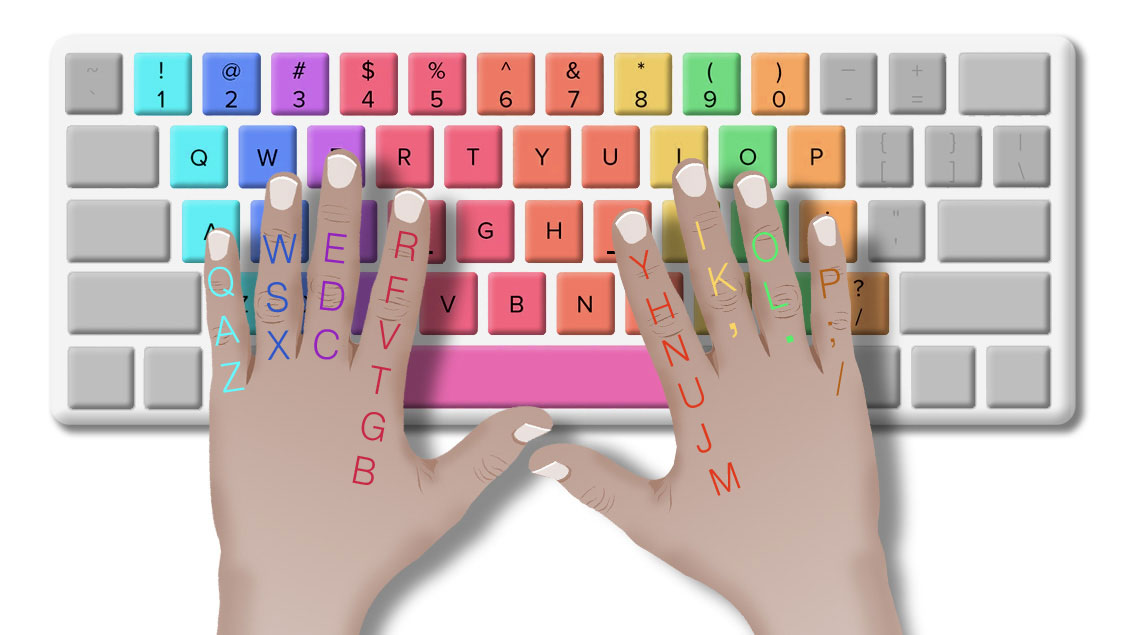
Repeatedly looking down to locate keys interrupts your rhythm. Learn the basic keyboard positions and gradually practise without looking at your hands.
2. Focusing Only on Speed
Typing quickly is not useful if you repeatedly enter incorrect characters. Build a reliable typing rhythm first, then increase your speed while maintaining accuracy.
3. Practising Without a Timer
Typing casually in a document is different from completing a timed exercise. Timed practice helps you understand how consistently you perform under time pressure.
4. Starting Preparation Too Late
Typing is a practical skill that develops through repetition. Starting several weeks before your expected test can give you time to identify weaknesses and practise regularly.
5. Ignoring Punctuation and Capital Letters
Typing passages often requires more than entering ordinary words. Practise capital letters, punctuation, spaces, numbers, and common word combinations.
6. Practising Only Short Passages
Short tests help measure initial speed, but longer sessions help build concentration and consistency. Include both short and longer tests in your preparation routine.
How to Prepare for the PPSC Typing Test: A Four-Week Plan
This four-week plan is a practical starting point for candidates who can practise for approximately 20–30 minutes daily. Your progress will depend on your starting speed, accuracy, and consistency.
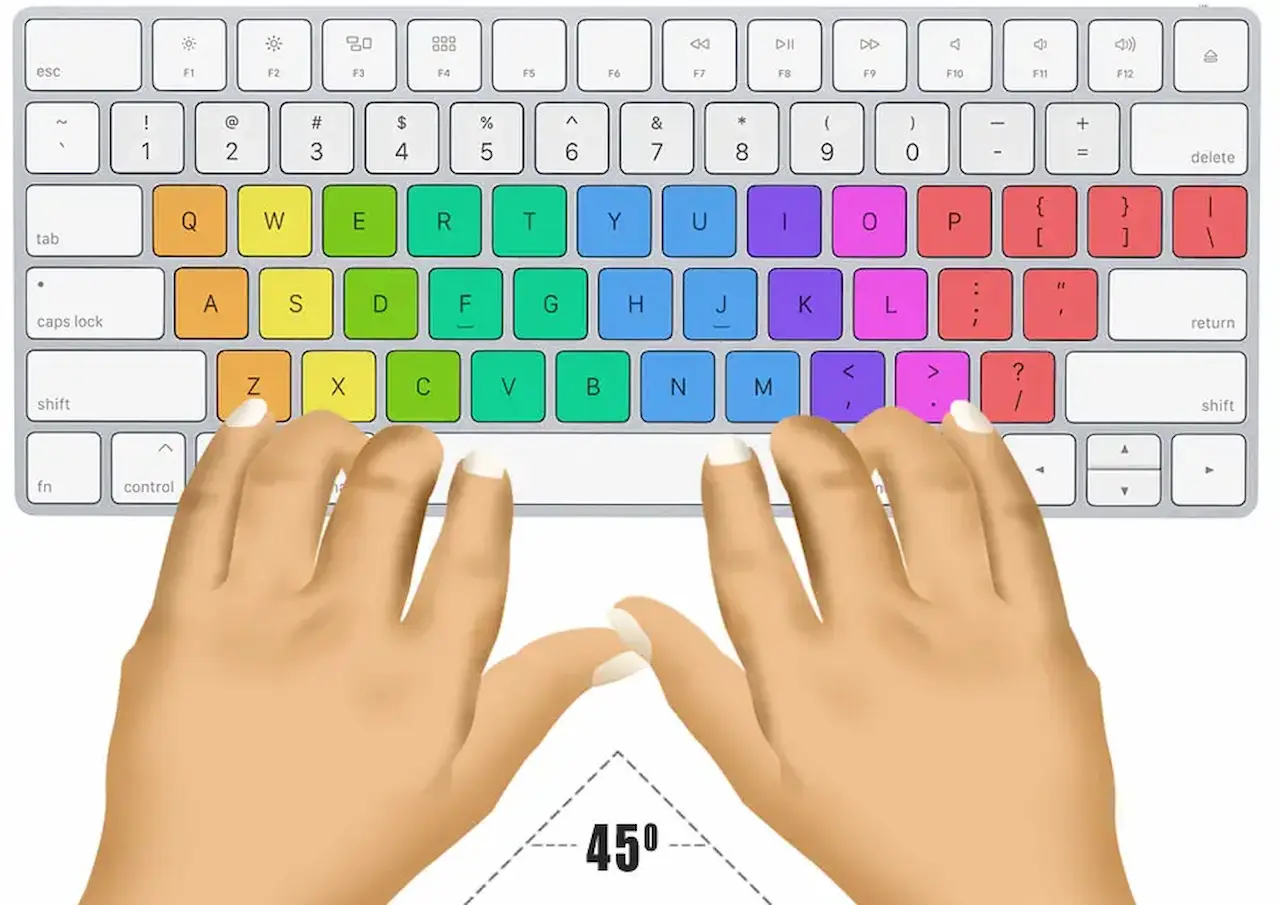
Week 1: Learn Proper Finger Placement
Begin by learning the home-row positions.
Place the fingers of your left hand on A, S, D, and F, and the fingers of your right hand on J, K, L, and the semicolon key.
Practise reaching for other keys without unnecessarily moving your hands away from their starting positions. Focus on correct finger placement rather than speed.
Goal: Develop comfortable keyboard familiarity and reduce the habit of looking down at the keys.
Week 2: Build Basic Speed and Accuracy
Practise simple sentences and short paragraphs. Use a one-minute typing test to check your progress, but do not worry if your speed increases gradually.
Record your WPM and accuracy after each session. Identify repeated mistakes and spend a few minutes practising difficult keys or letter combinations.
Goal: Establish a consistent typing rhythm and improve accuracy.
Week 3: Increase Your Typing Speed
Once your basic technique feels comfortable, introduce three-minute and five-minute tests.
Practise with formal English passages and a variety of sentence structures. If your post requires Urdu typing, schedule separate practice using the relevant Urdu keyboard layout.
Goal: Work towards your post's required speed without allowing errors to increase significantly.
Week 4: Simulate Timed Practice
Use timed tests that are similar in duration to the practice format you are preparing for. Include longer sessions to build concentration, and review your results after every attempt.
If your official test instructions specify a particular duration, use that information to guide your final practice sessions.
Goal: Achieve consistent results at or above your target speed and become comfortable working under time pressure.
Completing this plan does not guarantee qualification, but it gives you a structured way to practise and measure improvement.
Best Way to Practise for Free Online
You do not necessarily need a paid course to begin improving your typing skills. Free online typing tests can help you assess your current speed, practise under timed conditions, and identify areas for improvement.
TypingTestSkill offers timed typing tests that you can use for regular practice.
Start here:
- Free online typing test — establish your current performance.
- 1-minute typing test — check your starting speed.
- 3-minute typing test — practise maintaining a steady rhythm.
- 5-minute typing test — work on speed and accuracy.
- 10-minute typing test — develop concentration and endurance.
These tests are practice tools, not official PPSC examinations. Their displayed WPM and accuracy may differ from the scoring method used in an official recruitment test.
Why Use TypingTestSkill for PPSC Preparation?
TypingTestSkill provides a convenient way to practise typing online without purchasing a typing course.
You can use the platform to:
- Practise at different durations: Choose a short test or a longer session.
- Check your typing performance: Review the WPM and accuracy figures provided by the test.
- Build consistency: Repeat tests regularly and compare your results.
- Develop typing habits: Practise entering text while keeping your attention on the passage.
- Prepare for keyboard-based work: Improve a skill that can be useful for clerical and computer-related jobs.
Whether you are preparing for PPSC, FPSC, NTS, or another recruitment process, focus on the actual requirements of your target post. The platform can help you develop typing skills, but it cannot guarantee selection or replace official examination instructions.
Frequently Asked Questions About the PPSC Typing Test
1. What is the minimum typing speed for PPSC?
The required speed depends on the vacancy. Some Junior Clerk advertisements specify 25 WPM in English, while certain computer operator and stenographer positions require higher speeds. Always confirm the requirement in your job advertisement.
2. Is the PPSC typing test in English or Urdu?
It depends on the post. Some advertisements specify English typing, while others may require Urdu typing as well. Read the relevant advertisement to determine which language or languages you must prepare for.
3. How long is the PPSC typing test?
There is no single duration that should be assumed for every PPSC vacancy. Follow the test instructions issued for your particular recruitment process.
4. Can I retake the PPSC typing test if I fail?
Retake arrangements depend on the applicable recruitment rules and instructions. Do not assume that an immediate retake will be available. Check the official notice or contact PPSC for clarification.
5. How many weeks of practice do I need?
Four weeks is a useful starting plan, but your preparation time will depend on your current typing speed, accuracy, and the required standard. Beginners may need longer, while experienced typists may need less time to prepare.
6. Is accuracy more important than speed in the PPSC typing test?
Both matter. The official assessment method determines how typing errors affect the result. For preparation, aim to improve speed while maintaining accurate text entry rather than increasing WPM at the expense of correctness.
7. Where can I practise for free?
You can use the free TypingTestSkill online typing test to practise timed typing and monitor your performance.
8. Is a TypingTestSkill certificate accepted by PPSC?
Do not assume that an online typing certificate is accepted as an official qualification. Check the relevant PPSC advertisement and instructions to see whether any certificate is required. Use online test results primarily to monitor your practice.
Conclusion
The PPSC typing test becomes easier to prepare for when you understand the requirements of your target post and follow a consistent practice routine.
Start by checking the official advertisement for the required language, typing speed, computer proficiency, and selection procedure. Then use regular timed practice to improve your keyboard familiarity, accuracy, and typing speed.
You do not need to rush or expect overnight results. Practise for 20–30 minutes a day, track your performance, and gradually work towards your target.
Ready to begin? Take a free typing test on TypingTestSkill and find out where your typing speed stands today.
