Improve Typing Speed with Online Typing Test & Practice
Online Typing Speed Test: A Complete Guide to WPM and Accuracy
Typing is an essential skill for students, office workers, freelancers, and job seekers. From completing assignments to preparing for competitive examinations, the ability to type quickly and accurately can improve productivity and save time.
An online typing speed test helps you measure your current performance, identify mistakes, and monitor your progress. With regular practice and the right techniques, you can develop better keyboard control and improve your words per minute (WPM).
In this guide, you will learn how typing speed is measured, how to use online typing tests, which practice methods are effective, and how to prepare for typing assessments.
What Is an Online Typing Speed Test?
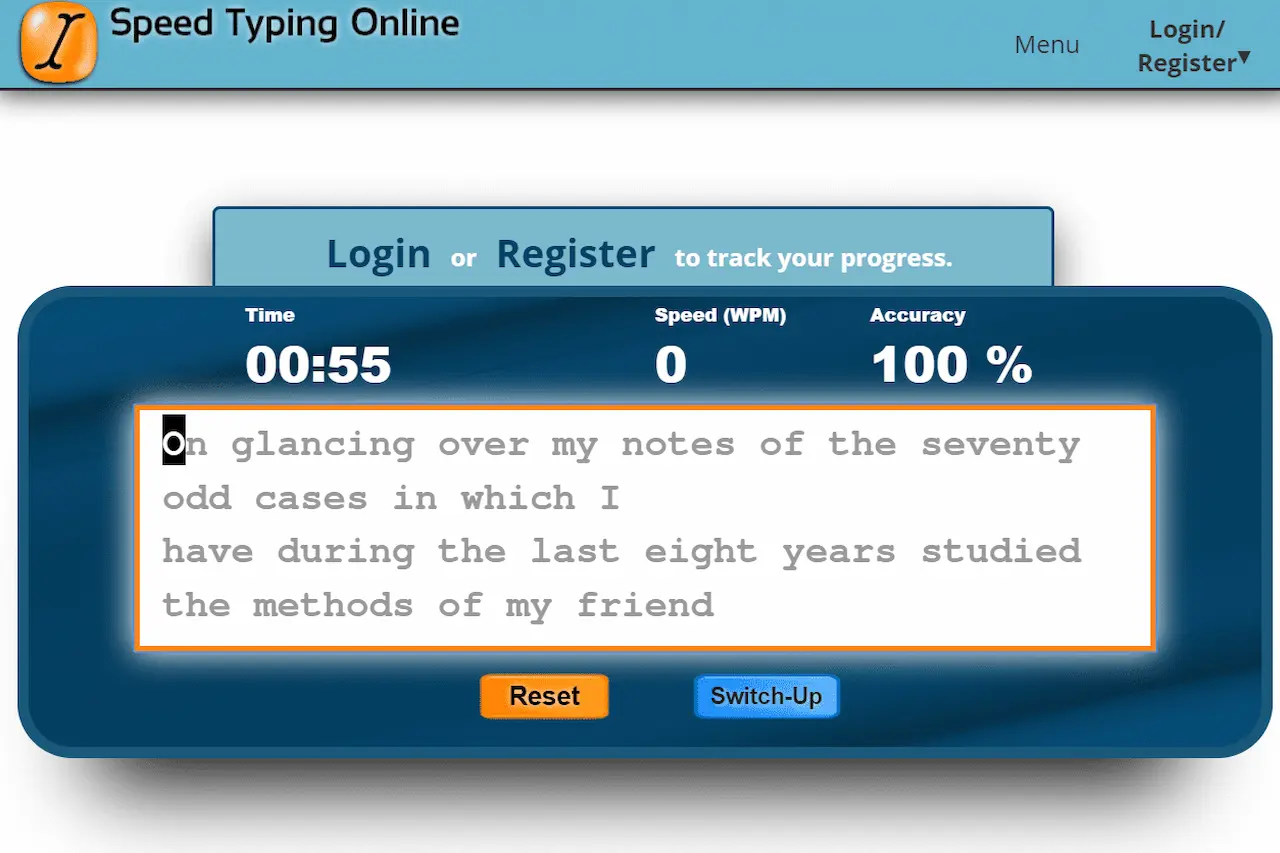
An online typing speed test is a browser-based assessment that measures how quickly and accurately you can type a given passage. Most tests display text on the screen and calculate your results after a selected time or when you finish.
Common results include:
- Words per minute (WPM): An estimate of your typing speed.
- Accuracy: How closely your typed text matches the original.
- Errors: The mistakes made while typing.
- Consistency: How well you maintain your speed throughout a session, when the platform provides this measurement.
You can start with the free online typing test on TypingTestSkill to check your current level. Record your result and repeat a similar test later to evaluate your improvement.
Understanding WPM and Typing Accuracy
WPM stands for words per minute. It is one of the most common measurements used to evaluate typing speed.
A widely used standardized calculation treats five characters, including spaces, as one word:
WPM = (Characters typed ÷ 5) ÷ Time in minutes
For example, typing 250 characters in one minute equals 50 gross WPM using this formula. Your displayed score may differ depending on the platform's calculation method and whether errors are deducted.
Accuracy is equally important. Typing quickly with frequent mistakes can reduce productivity, especially when preparing official documents, entering data, or completing a timed examination.
For meaningful progress, track both WPM and accuracy. Aim to increase speed while maintaining reliable accuracy instead of focusing on a high score alone.
Why Should You Take an Online Typing Test?
Regular typing tests help you understand your strengths and weaknesses. They also make your practice more measurable.
Measure Your Current Typing Speed
Your first test gives you a baseline. Once you know your current WPM and accuracy, you can set a realistic target and track your results over time.
Identify Repeated Mistakes
Typing results can help you recognize frequent spelling errors, missed punctuation, or keys that slow you down. Use this information to choose more focused exercises.
Improve Speed and Confidence
Repeated practice can help you become more familiar with the keyboard. As your finger movements become more consistent, you may spend less time searching for keys and correcting errors.
Prepare for Jobs and Exams
Some employers and recruitment examinations assess typing speed and accuracy. Practising under timed conditions helps you become familiar with time pressure, although you should always check the official test requirements for your particular position.
How to Take a Typing Speed Test Online
Follow these steps to get a useful result from your practice session.
- Choose a test duration. Beginners can start with a short test, while experienced typists may prefer longer sessions.
- Sit comfortably. Keep your shoulders relaxed and your wrists in a neutral position.
- Read the instructions. Check whether the test measures gross WPM, net WPM, or another scoring method.
- Start typing at a controlled pace. Avoid rushing during the first few seconds.
- Focus on accuracy. Follow the displayed passage carefully and avoid unnecessary corrections.
- Review your result. Check your WPM, accuracy, and mistakes if these statistics are available.
- Repeat the test later. Use similar conditions to make comparisons more meaningful.
Try the TypingTestSkill online typing test to get started.
Choose the Right Typing Test Duration
Different test lengths help you practise different aspects of typing.
1-Minute Typing Test
A 1-minute typing test is suitable for quick assessments and short practice sessions. It provides a snapshot of your speed, although results can fluctuate over such a short period.
3-Minute Typing Test
A 3-minute typing test gives you more time to establish a typing rhythm. It is a practical choice for regular practice without requiring a lengthy session.
5-Minute Typing Test
A 5-minute typing test helps you evaluate consistency over a longer passage. Use it to check whether your accuracy remains stable as you continue typing.
10-Minute Typing Test
A 10-minute typing test helps develop concentration and sustained typing ability. It is useful when your work or assessment involves longer passages.
15-Minute Typing Test
A 15-minute typing test offers additional endurance practice. It can help you identify whether fatigue affects your speed or accuracy.
30-Minute Typing Test
A 30-minute typing test provides an extended session for experienced learners and those preparing for longer typing tasks. Build up to this duration gradually if you are a beginner.
Effective Techniques to Improve Typing Speed
Taking tests measures your performance, but focused practice helps you develop the underlying skill. Use these techniques to improve your typing habits.
1. Learn Touch Typing
Touch typing involves using the keyboard without constantly looking at the keys. It helps you develop familiarity with key positions and reduces the need to search visually for each character.
Start slowly and focus on correct finger movements. Increase your speed only when you can type the exercises accurately.
2. Practise the Home Row
On a standard QWERTY keyboard, place the fingers of your left hand on A, S, D, and F, and the fingers of your right hand on J, K, L, and the semicolon key.
Use the appropriate fingers to reach other keys and return to the home row when possible. Consistent finger placement can improve coordination and reduce unnecessary movement.
3. Prioritize Accuracy Before Speed
Trying to type faster than your current ability allows can increase errors. Begin at a comfortable pace and concentrate on entering the correct characters.
When your accuracy becomes more consistent, gradually increase your pace. This helps build a stronger foundation for long-term improvement.
4. Practise Common Words and Sentences
Typing common words and complete sentences helps you develop a natural rhythm. Include punctuation, capital letters, and varied sentence structures so that your practice reflects everyday typing tasks.
If you frequently type numbers, dates, or figures, include relevant numeric exercises as well.
5. Practise Regularly
Short, consistent sessions can be easier to maintain than occasional long sessions. Try practising for 10–15 minutes daily and review your results after each test.
Focus on one improvement area at a time, such as reducing errors on certain keys or maintaining a steady pace.
Online Typing Practice Tools and Games
Different types of practice can support different learning goals.
Structured Typing Lessons
Online typing lessons introduce keyboard keys and finger movements in a planned sequence. They are especially useful for beginners who want to learn touch typing from the beginning.
Keyboard Practice Exercises
Keyboard exercises help strengthen familiarity with individual keys, letter combinations, numbers, and punctuation. Repeat difficult exercises until you can complete them with greater confidence.
Typing Games
Typing games make practice more engaging by turning key recognition and typing speed into interactive challenges. They can help maintain motivation, but combine them with ordinary passages and timed tests to develop broader typing skills.
Timed Typing Assessments
Timed tests help you evaluate performance under a defined time limit. Alternate short sessions with longer ones to practise both quick responses and sustained concentration.
Preparing for Government Typing Tests and Jobs
Typing ability may be assessed for clerical positions, data-entry work, administrative roles, and certain competitive recruitment examinations. The required speed, language, accuracy standard, and test duration vary by organization and position.
If you are preparing for a PPSC, FPSC, or another recruitment test, follow the official advertisement and instructions rather than assuming that every examination uses the same criteria.
A practical preparation plan should include:
- Practising in the required language and keyboard layout.
- Taking timed tests similar to the expected examination format.
- Improving punctuation, spelling, and overall accuracy.
- Recording your results to monitor progress.
- Practising longer passages if the official assessment requires sustained typing.
An online typing speed test is useful for practice, but your preparation should match the specific examination requirements whenever these are available.
Common Typing Mistakes to Avoid
Avoiding poor habits can make your practice more effective.
- Looking at the keyboard repeatedly: Learn key positions gradually and practise typing by touch.
- Using the wrong fingers: Follow a consistent finger-placement method.
- Focusing only on WPM: Review accuracy and mistakes as well as speed.
- Rushing through passages: Maintain a controlled pace instead of sacrificing accuracy.
- Ignoring punctuation: Include complete sentences and common punctuation marks in your exercises.
- Practising without reviewing results: Identify recurring errors and use them to guide your next session.
Correcting these habits takes time. Review your results regularly and work on the most frequent problems first.
How to Set Realistic Typing Goals
A useful typing goal should be measurable and appropriate for your current ability.
Start by recording your WPM and accuracy. Choose one area to improve, such as increasing your speed slightly or reducing recurring errors. Repeat similar tests regularly and compare the results over several sessions rather than relying on a single score.
You can also set a weekly practice schedule. For example, alternate short typing tests with focused keyboard exercises and finish the week with a longer assessment.
Remember that typing speed varies with the passage, language, keyboard, and scoring method. Use consistent test conditions when tracking your progress.
Frequently Asked Questions
What is a good typing speed?
A typing speed of around 40 WPM is a commonly used general benchmark, but the appropriate speed depends on the task. Some roles and examinations require specific standards, so check the requirements relevant to your goal.
Can I take an online typing speed test for free?
Yes. Browser-based platforms such as TypingTestSkill offer online typing test sessions that you can use to measure your performance and practise.
Is a 1-minute typing test accurate?
A 1-minute test can provide a useful snapshot of your speed, but short sessions may fluctuate. Repeat the test and use longer assessments to understand your consistency.
How can I improve my WPM?
Practise touch typing, use the correct fingers, focus on accuracy, and follow a consistent routine. Track your results and gradually increase your pace as your technique improves.
Should beginners start with a long typing test?
Not necessarily. Beginners can start with short sessions and gradually increase the duration as their concentration and typing control improve.
Are online typing tests useful for government job preparation?
They can help you practise speed, accuracy, and time management. However, you should also follow the official test format, language, duration, and qualifying criteria for your particular recruitment process.
Conclusion
An online typing speed test is a practical way to measure your current ability and identify areas for improvement. By combining regular assessments with touch typing, accurate finger placement, structured exercises, and progress tracking, you can develop more efficient keyboard skills.
Start with the free TypingTestSkill typing test, choose a suitable duration, and practise consistently. Focus on accuracy first, build your speed gradually, and use your results to guide each new session.