Best Typing Test Websites in 2026 Compared
TypingTestSkill vs TypingTest.com vs KeyHero vs Typing.com Which Is Best?
Introduction
Typing speed and accuracy are important skills for students, job seekers, office workers, and professionals. Whether you are preparing for a typing exam, applying for a data entry job, or improving your everyday computer skills, an online typing test can help you measure your performance and identify areas for improvement.
Several websites offer free typing tests, typing practice, and learning tools, but each platform serves a different purpose. Some focus on quick speed assessments, while others provide detailed error analysis or structured lessons for beginners.
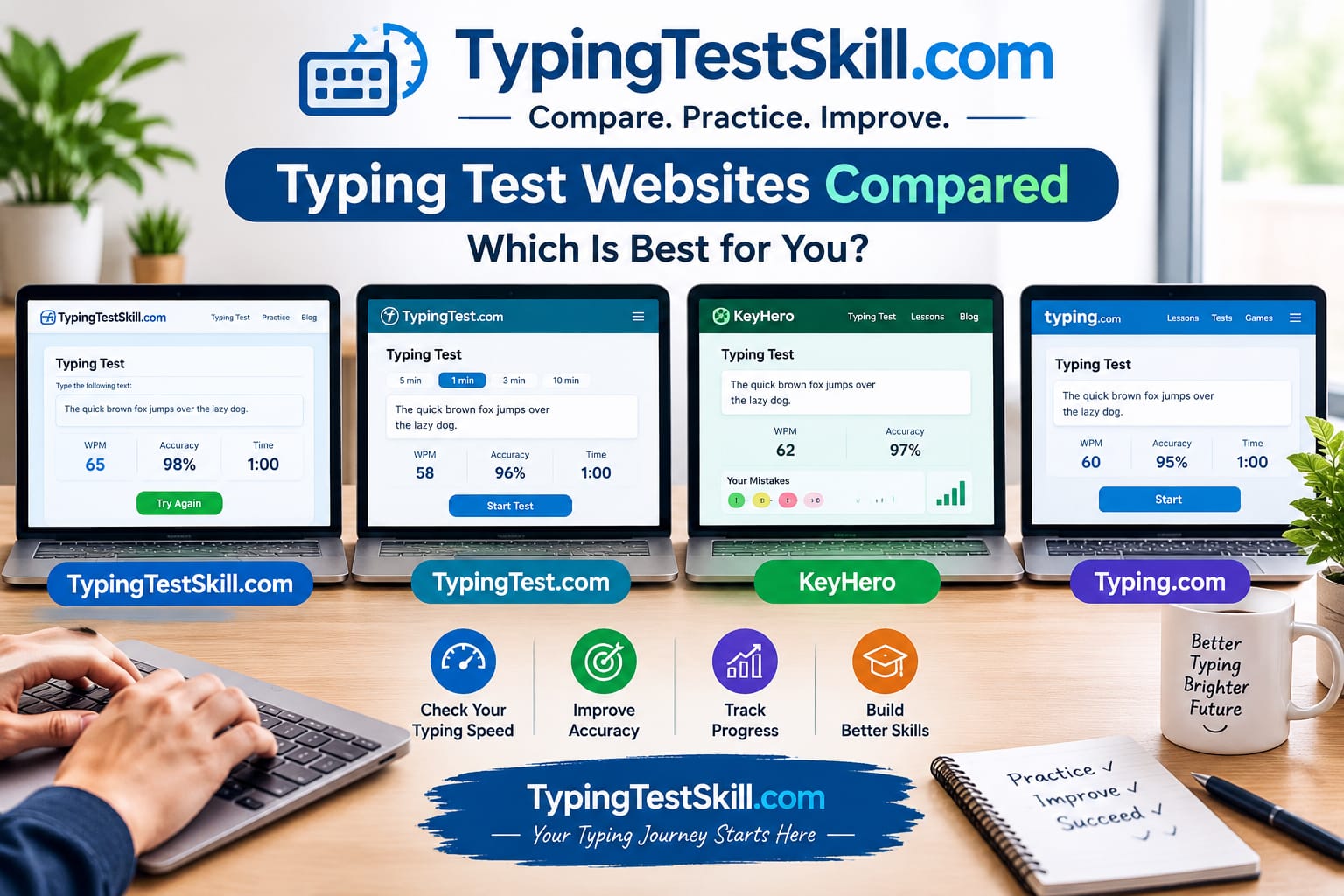
In this comparison, we will look at four platforms: TypingTestSkill, TypingTest.com, KeyHero, and Typing.com. We will compare their main features, learning tools, advantages, and limitations to help you choose the right typing website for your goals.
1. TypingTestSkill: Best for Timed Typing Practice and Progress Tracking
TypingTestSkill is an online typing platform designed to help users measure their typing speed, improve accuracy, and develop consistent keyboard skills.
The platform provides timed typing tests, practice exercises, performance reports, and typing certificates. Its available test durations range from one-minute sessions to longer tests, including 30-minute sessions. This makes it useful for people who want to measure short-term performance and practise typing for longer periods.
Key Features
- Free online typing tests and practice exercises.
- Multiple test durations, including 1, 3, 5, 10, 15, and 30 minutes.
- Words per minute (WPM), accuracy, and error reporting.
- Account-based progress tracking and test history.
- Downloadable typing certificates.
- Typing lessons and practice resources.
Advantages
TypingTestSkill is a practical option for users who want to practise directly in their browser without installing software. Its different test durations allow learners to work on speed, accuracy, and typing endurance.
The progress dashboard also helps registered users review previous attempts and monitor their performance. Users preparing for typing assessments can practise regularly and work toward specific WPM and accuracy goals.
Limitations
TypingTestSkill focuses primarily on typing practice, testing, and performance measurement. Users who need a comprehensive school curriculum with teacher dashboards, classroom assignments, and broader digital literacy lessons may prefer a platform designed for education.
Best for: Students, job seekers, office workers, and anyone looking for free timed typing practice and performance tracking.
Start practising at TypingTestSkill.com.
2. TypingTest.com: Best for Customizable Typing Tests and Challenges
TypingTest.com offers online typing tests, interactive lessons, and activities designed to help users improve their keyboard skills. The platform supports tests with different durations and text difficulties, allowing users to practise according to their current ability.
Its additional activities include Tricky Keys, which focuses on commonly mistyped keys, and Bigram Blitz, which helps users practise frequently occurring two-letter combinations. These exercises provide alternatives to simply repeating full typing tests. Source: TypingTest.com
Key Features
- Typing tests with different time limits.
- Texts covering different topics and difficulty levels.
- Interactive typing lessons.
- Tricky Keys and Bigram Blitz challenges.
- Typing speed and accuracy measurements.
- Blind typing challenges.
Advantages
TypingTest.com is suitable for users who want more variety in their typing practice. Different text difficulties allow learners to challenge themselves as their skills develop.
Its focused exercises can also help users work on specific keyboard patterns instead of relying exclusively on full-length passages.
Limitations
The platform's test durations and available exercises may not match every learner's needs. If you specifically want a 30-minute timed session, check the available options before choosing it for extended practice.
Best for: Users who want customizable typing tests, interactive exercises, and different typing challenges.
Try the platform at TypingTest.com.
3. KeyHero: Best for Detailed Typing Error Feedback
KeyHero is an online typing test platform that focuses on typing speed, accuracy, and error analysis. It is particularly useful for learners who want to understand the mistakes affecting their performance.
KeyHero's typing tools can provide information about typing errors and changes in speed throughout a passage. Its typing school also provides educational exercises and tools for teachers to create lessons and track student progress. Source: KeyHero Typing School
Key Features
- Online typing tests.
- WPM and accuracy measurements.
- Detailed information about typing mistakes.
- Visual feedback about changes in typing speed.
- Typing exercises for different skill levels.
- Classroom tools for creating lessons and monitoring progress.
Advantages
KeyHero is a useful choice if you want to understand more than your final typing score. Its error feedback can help you identify common mistakes, such as incorrect letter order, repeated characters, or capitalization errors.
Reviewing these patterns can help you decide which skills to practise during your next session.
Limitations
KeyHero's main strength is typing performance feedback and practice. Users looking for a broad digital literacy curriculum or an extensive sequence of guided lessons may find another platform more suitable.
Best for: Learners who want detailed feedback about typing mistakes and teachers who need typing practice tools for students.
Explore the platform at KeyHero.com.
4. Typing.com: Best for Beginners, Students, and Teachers
Typing.com is an online typing tutor and digital literacy platform. It offers structured typing lessons, tests, games, and educational resources designed to help learners develop keyboard skills step by step.
Its free edition includes typing lessons, tests, and games. The platform also provides teacher tools for managing students and monitoring progress. Additional digital literacy curriculum and classroom features are available through its PLUS offering. Sources: Typing.com and Typing.com Support
Key Features
- Step-by-step typing lessons.
- Beginner, intermediate, and advanced learning activities.
- Timed typing tests and page-based tests.
- Typing games and interactive practice.
- Speed and accuracy results.
- Student progress tracking and certificates.
- Teacher and classroom management tools.
Advantages
Typing.com is particularly useful for beginners who want to learn proper finger placement and touch typing before focusing heavily on speed.
Its structured lessons help learners develop skills progressively. Teachers can also use its classroom features to assign activities and monitor student performance.
Limitations
The platform's educational features may be more than an individual user needs when the only goal is to complete a quick typing test. Some additional educational and classroom tools require the PLUS edition.
Best for: Beginners, students, teachers, and schools that need structured typing lessons and educational resources.
Start learning at Typing.com.
5. TypingTestSkill vs TypingTest.com vs KeyHero vs Typing.com Comparison
The following table summarizes the main differences between these four platforms.
FeatureTypingTestSkillTypingTest.comKeyHeroTyping.comOnline typing testsYesYesYesYesSpeed measurementYesYesYesYesAccuracy reportingYesYesYesYesMultiple practice activitiesTimed practice and lessonsLessons and focused challengesTests and exercisesLessons, tests, and gamesDetailed error feedbackError reportingTest feedback and focused exercisesDetailed error analysisTest results and learning feedbackLong-duration practiceUp to 30-minute sessionsCheck available test durationsCheck current optionsTimed and page-based testsStructured educational curriculumTyping lessonsTyping lessonsTyping exercisesExtensive typing and digital literacy curriculumCertificatesDownloadable typing certificatesCheck current offeringCheck current offeringTyping test certificatesFree optionYesYesYesYes
Note: Features and account conditions can change. The table summarizes publicly described features and does not represent an independent performance benchmark. Check each official website for the latest availability.
6. Which Typing Test Website Is Best for You?
There is no single platform that is best for every user. The right choice depends on whether you want to measure your speed, understand your errors, practise for longer periods, or follow a structured learning programme.
Choose TypingTestSkill for Timed Practice
Choose TypingTestSkill if you want to take free typing tests, practise for different durations, review WPM and accuracy, and track your results through your account.
Its longer practice sessions are useful for users who want to work on typing endurance as well as speed.
Choose TypingTest.com for Variety
TypingTest.com is a good option if you prefer different text difficulties, interactive typing lessons, and focused challenges that help you practise particular keyboard patterns.
Choose KeyHero for Error Analysis
KeyHero is worth considering if you want to understand the types of mistakes you make and how your typing speed changes during a test.
Choose Typing.com for Structured Learning
Typing.com is a strong option for beginners, students, and teachers who want guided lessons, typing games, and educational tools in one platform.
Our recommendation: If your main goal is to measure typing speed, practise regularly, and monitor progress across different test durations, start with TypingTestSkill. If you need a structured classroom curriculum or detailed error-focused exercises, explore the platforms that specialize in those features.
7. How to Improve Your Typing Speed and Accuracy
Whichever website you choose, the quality of your practice matters. Taking repeated tests without reviewing your mistakes may not address the habits that limit your performance.
Follow these practical steps to make your practice sessions more useful.
1. Practise Regularly
Set aside 10–20 minutes for focused practice on most days. Consistency helps you become more familiar with keyboard positions and common letter combinations.
2. Focus on Accuracy Before Speed
Avoid rushing if it causes frequent mistakes. Start at a comfortable pace and gradually increase your speed as you gain control.
3. Learn Proper Finger Placement
Use the correct finger positions and practise returning to the home row. Over time, this can reduce unnecessary finger movement and help you type more comfortably.
4. Try Different Test Durations
Short tests help you check your immediate typing performance. Longer sessions give you more opportunity to practise maintaining concentration and a consistent pace.
5. Review Your Errors
After each session, check your accuracy and error count. Identify recurring mistakes and practise the keys or combinations that cause them most often.
6. Set Realistic Goals
Set a measurable goal based on your current performance. For example, if you currently type at 30 WPM, focus first on improving accuracy and gradually working toward 35 WPM.
7. Track Your Results
Record your WPM and accuracy after each practice session. Comparing results over several sessions provides a more useful picture of your progress than relying on a single high score.
8. Frequently Asked Questions
Which typing test website is best for beginners?
Typing.com is a strong choice for beginners who want structured lessons and guided keyboard training. TypingTestSkill is also useful for beginners who want to measure their speed and practise with timed tests.
Which website is best for checking typing speed?
TypingTestSkill, TypingTest.com, KeyHero, and Typing.com all provide typing tests that measure speed. The best choice depends on your preferred test format and the additional feedback you need.
Which typing website provides detailed error feedback?
KeyHero is particularly useful for examining typing mistakes and changes in speed during a test. TypingTestSkill also provides error reporting to help users review their performance.
Can I practise typing online for free?
Yes. All four platforms offer free typing tests or practice options. Some platforms also provide paid plans or additional features, so check the official website for current terms.
What is a good typing speed for office work?
The required typing speed depends on the job. A target of 40 WPM can be a useful general practice goal, but some positions require faster typing, specific accuracy levels, or a formal typing assessment. Always check the employer's stated requirements.
How often should I take a typing test?
You can take a test regularly to monitor your progress, but combine testing with focused practice. Reviewing mistakes and improving weak areas is more useful than chasing a higher score on every attempt.
Are online typing certificates accepted by employers?
Acceptance depends on the employer and the job requirements. An online certificate can document your measured typing performance, but it does not automatically replace an employer's required typing test or assessment.
Conclusion
TypingTestSkill, TypingTest.com, KeyHero, and Typing.com each offer useful tools for improving keyboard skills, but they serve different needs.
TypingTestSkill is suitable for users who want timed typing practice, performance measurements, and progress tracking. TypingTest.com offers varied tests and interactive challenges. KeyHero emphasizes typing error feedback, while Typing.com provides structured lessons and educational resources for learners and teachers.
Before choosing a platform, consider your current skill level, preferred practice style, and goals. If you want to check your WPM and accuracy while building a regular practice routine, start with a free typing test on TypingTestSkill.
Practise consistently, review your results, and focus on accuracy as well as speed. Over time, this approach can help you develop more reliable typing skills for study, work, and everyday computer use.